Teacher Door Corner Sign Laser Cut | CNC
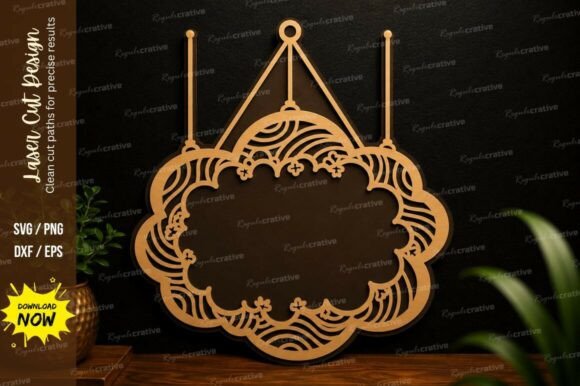
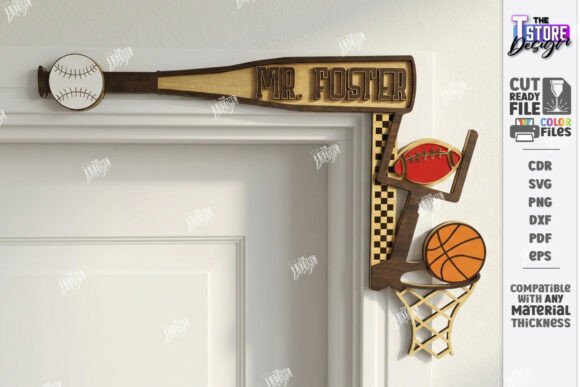
Every classroom door is a canvas waiting for a personal touch, and a beautifully crafted sign can make all the difference in creating a welcoming environment. The Teacher Door Corner Sign Laser Cut | CNC file is a versatile design asset perfect for educators and crafters looking to add a custom, professional flair to their space. This digital download provides everything you need to create a personalized nameplate or subject-specific door frame decor using your laser cutting machine.
This product is designed for laser cutting and engraving, with clear file instructions: the red line indicates where to cut and the black line where to engrave. It’s ideal for creating signs for music, math, science, art, sports, or language classrooms. The included zip archive contains multiple file formats—SVG, EPS, PNG, PDF, and DXF—to ensure compatibility with most design software and cutting machines, including Glowforge. A helpful tip for Lightburn users: the DXF file format is recommended to avoid any dimension distortion sometimes seen with SVG files.
Why This Design Asset Stands Out
Think of this laser cut file as more than just a template; it’s a tool for enhancing brand identity and visual consistency in an educational setting. A well-designed sign does more than label a room—it reinforces a teacher’s personality, subject focus, and the professional atmosphere of the school. Using a high-quality design file ensures clean lines, precise cuts, and a polished final product that looks store-bought.
The flexibility of this asset is a key advantage. You can easily personalize it with a teacher’s name, making it a thoughtful back-to-school gift or a year-end appreciation present. The subject-specific icons allow for quick recognition, helping students and visitors navigate the hallway with ease. It’s a practical example of how modern typography and design can be applied to everyday objects to create something both functional and beautiful.
Creative Applications and Practical Tips
Beyond the classroom door, consider how these design files can be used for other projects. The clean, scalable vector graphics are perfect for creating coordinated classroom decor, such as bulletin board headers, locker tags, or inspirational wall art. For crafters running a small business, this file could be used to produce and sell personalized signs at local markets or online.
When working with any design asset, a few best practices ensure great results:
- Check Compatibility: Always verify that the file format works seamlessly with your specific software and machine before starting a project.
- Test Your Materials: Run a small test cut on your chosen material—whether wood, acrylic, or cardstock—to perfect your machine’s speed and power settings.
- Consider Readability: If adding a name, choose a complementary font style that is easy to read from a distance. A bold sans serif font often pairs well with decorative elements.
- Personalize Thoughtfully: Use the included PNG file for mock-ups or digital presentations before committing to a physical cut.
Choosing the right design asset is about finding a balance between aesthetic appeal and practical utility. A file that is well-organized, comes in multiple formats, and includes clear instructions saves time and reduces frustration, allowing you to focus on the creative process. It’s an investment in quality that pays off in the professional finish of your final product.
Ultimately, a personalized teacher’s sign is a small detail that contributes to a bigger picture: a positive, organized, and inspiring learning environment. It’s a tangible way to show pride in one’s classroom and subject. By starting with a reliable, high-quality design file, you set the stage for a creation that is both meaningful and lasting, adding a unique and professional touch to any educational space.